Introduction
Modern businesses rely on dozens of digital tools every day, from email and customer relationship management (CRM) software to project management platforms and cloud storage services. Managing these tools manually can be time-consuming and often leads to repetitive work.
AI workflow automation tools simplify these processes by connecting your apps, automating repetitive tasks, and using artificial intelligence to make workflows smarter. Instead of spending hours on manual data entry, notifications, approvals, or follow-ups, businesses can automate these activities and focus on higher-value work.
Whether you’re a freelancer, startup founder, marketer, or enterprise team, AI workflow automation can significantly improve productivity while reducing operational costs.
What Are AI Workflow Automation Tools?
AI workflow automation tools are software platforms that combine automation with artificial intelligence to streamline business processes. They connect different applications and automatically perform tasks based on predefined triggers, conditions, or AI-powered decisions.
These tools can automate workflows across:
- Marketing
- Sales
- Customer support
- HR
- Finance
- Project management
- IT operations
- Content creation
Unlike traditional automation, AI-powered workflows can understand context, summarize information, classify data, and even make intelligent recommendations.
How AI Workflow Automation Works
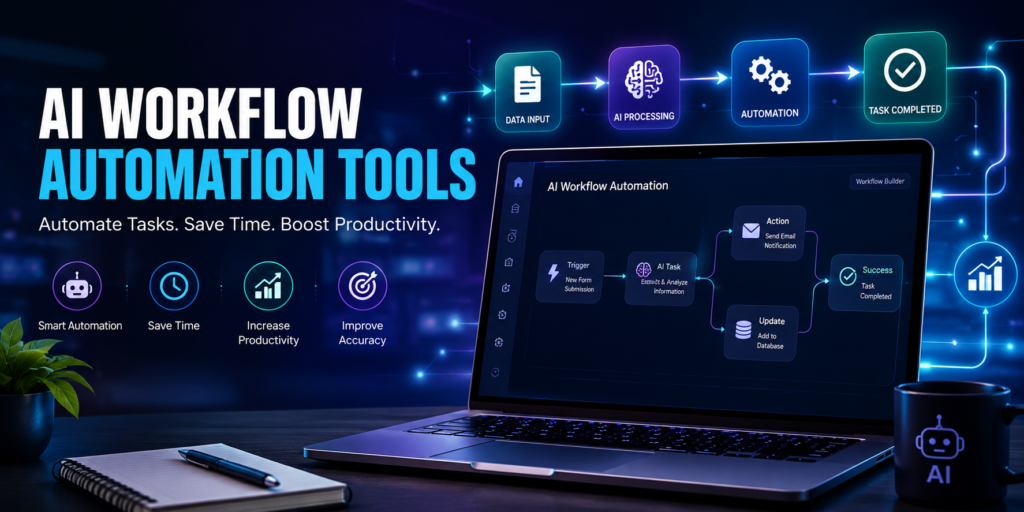
Most AI workflow automation platforms follow a simple process:
- A trigger starts the workflow.
- AI analyzes incoming data.
- Rules determine the next action.
- Connected apps exchange information automatically.
- Notifications, reports, or tasks are created.
For example, when a customer submits a contact form, AI can classify the inquiry, create a CRM record, notify the sales team, and generate a follow-up email automatically.
Why Businesses Use AI Workflow Automation
Companies adopt AI workflow automation because it reduces manual work and improves operational efficiency.
Common business use cases include:
- Lead management
- Email automation
- Invoice processing
- Employee onboarding
- Social media scheduling
- Customer support automation
- Document approvals
- Internal reporting
By automating repetitive processes, teams can focus on strategy, creativity, and customer relationships.
Benefits of AI Workflow Automation Tools
AI workflow automation offers numerous benefits for organizations of all sizes.
Eliminate Repetitive Tasks
Routine activities such as copying data between applications, sending notifications, updating spreadsheets, and creating reports can all be automated.
This saves valuable time and reduces employee workload.
Improve Team Productivity
Automation allows employees to spend less time on repetitive administrative work and more time on meaningful tasks.
As a result, teams complete projects faster and collaborate more effectively.
Reduce Human Errors
Manual data entry often leads to mistakes that can affect business operations.
AI automation minimizes these errors by performing tasks consistently and accurately.
Scale Business Operations
As businesses grow, manual workflows become increasingly difficult to manage.
AI automation enables companies to handle larger workloads without significantly increasing operational complexity.
Best AI Workflow Automation Tools in 2026
Here are three of the most popular AI workflow automation platforms available today.
Zapier AI
Best For: Small businesses, marketers, and entrepreneurs.
Zapier AI connects thousands of applications and allows users to automate workflows without writing code. Its AI features help generate workflows, summarize information, and automate repetitive business tasks.
Key Features
- AI workflow builder
- No-code automation
- Multi-app integrations
- AI-powered task suggestions
- Email automation
- CRM integration
Pros
- Beginner-friendly.
- Thousands of app integrations.
- Fast workflow creation.
- Reliable cloud platform.
Cons
- Advanced workflows may require higher-tier plans.
Make
Best For: Advanced workflow automation.
Make provides a visual automation builder that enables users to create complex workflows across hundreds of business applications. It also supports AI services and custom integrations.
Key Features
- Visual workflow designer
- AI integrations
- Conditional logic
- Multi-step automation
- Data transformation
- API connectivity
Pros
- Powerful customization.
- Flexible workflow builder.
- Supports advanced automation.
- Excellent visual interface.
Cons
- Slight learning curve for beginners.
H3: n8n
Best For: Developers and technical teams.
n8n is an open-source workflow automation platform that offers powerful customization, self-hosting options, and extensive API support.
Key Features
- Open-source platform
- Self-hosting
- AI integrations
- API automation
- Custom workflows
- Developer-friendly interface
Pros
- Highly customizable.
- Strong developer community.
- Self-hosting available.
- Cost-effective for technical teams.
Cons
- Requires some technical knowledge for advanced workflows.
More of the Best AI Workflow Automation Tools in 2026
As AI automation continues to evolve, businesses have access to smarter platforms that go beyond simple task automation. These tools can analyze data, make intelligent decisions, and automate complex workflows across multiple applications.
Microsoft Power Automate
Best For: Businesses using the Microsoft ecosystem.
Microsoft Power Automate enables organizations to automate repetitive tasks across Microsoft 365, Dynamics 365, SharePoint, Teams, and hundreds of third-party applications. Its AI capabilities simplify document processing, approvals, and business workflows.
Key Features
- AI-powered workflow automation
- Microsoft 365 integration
- Robotic Process Automation (RPA)
- Document processing
- Approval workflows
- Cloud and desktop automation
Pros
- Excellent Microsoft integration.
- Enterprise-grade security.
- Supports complex workflows.
- Powerful AI capabilities.
Cons
- Some advanced features require premium licensing.
Relay.app
Best For: Small businesses and collaborative teams.
Relay.app combines workflow automation with human collaboration, making it easy to automate repetitive tasks while allowing team members to step in whenever manual approval is required.
Key Features
- AI-assisted workflows
- Human approval steps
- Multi-app integrations
- Workflow templates
- Task routing
- Team collaboration
Pros
- Easy-to-use interface.
- Excellent for collaborative workflows.
- Quick setup.
- Flexible automation.
Cons
- Smaller integration library compared to larger automation platforms.
Gumloop
Best For: AI-first business automation.
Gumloop focuses on AI-powered workflow creation with visual automation blocks that help users build intelligent processes without extensive coding knowledge.
Key Features
- AI workflow builder
- Visual automation editor
- Document processing
- AI content generation
- Web automation
- Third-party integrations
Pros
- Modern AI-focused platform.
- Intuitive workflow builder.
- Strong automation capabilities.
- Beginner-friendly design.
Cons
- Advanced enterprise features are still expanding.
How to Choose the Right AI Workflow Automation Tool
Selecting the best automation platform depends on your business size, technical skills, and daily workflow requirements.
Integration Support
Choose a platform that connects with the software you already use, including:
- CRM systems
- Email platforms
- Project management tools
- Accounting software
- Cloud storage
- Communication platforms
The more integrations available, the easier it is to automate your entire workflow.
Ease of Use
Some platforms are designed for beginners with drag-and-drop builders, while others target developers who need advanced customization.
Select a solution that matches your team’s technical expertise.
AI Capabilities
Compare features such as:
- AI content generation
- Intelligent routing
- Data classification
- Smart summaries
- Predictive automation
- Document analysis
- Natural language workflow creation
These AI-powered features can significantly improve operational efficiency.
Scalability
As your business grows, your automation platform should support:
- More workflows
- Additional users
- Higher task volumes
- Advanced security
- Enterprise integrations
Choosing a scalable solution reduces the need to migrate later.
AI Workflow Automation vs Traditional Automation
| Feature | AI Workflow Automation | Traditional Automation |
| Decision Making | ✅ AI Assisted | ❌ Rule-Based Only |
| Data Understanding | ✅ Intelligent | ⚠ Limited |
| Workflow Flexibility | ✅ High | ⚠ Moderate |
| Manual Work | Minimal | Moderate |
| Learning Capability | ✅ Adaptive | ❌ Static |
| Business Efficiency | High | Moderate |
AI workflow automation enables businesses to create more intelligent, flexible, and scalable processes than traditional automation systems.
Best Practices for Using AI Workflow Automation
To maximize the value of workflow automation:
- Start by automating repetitive tasks.
- Test workflows before deploying them.
- Monitor automation performance regularly.
- Keep integrations updated.
- Review AI-generated decisions when needed.
- Maintain security and access controls.
Well-designed workflows save time while reducing operational errors.
Conclusion
AI workflow automation tools are transforming how businesses operate by eliminating repetitive work, connecting applications, and enabling smarter decision-making. Whether you are managing customer relationships, marketing campaigns, financial processes, or internal operations, AI automation can significantly increase efficiency and reduce costs.
Platforms like Zapier AI, Make, n8n, Microsoft Power Automate, Relay.app, and Gumloop offer powerful features for organizations of all sizes. Choosing the right platform depends on your workflow complexity, technical requirements, and long-term business goals.
Frequently Asked Questions
What are AI workflow automation tools?
AI workflow automation tools use artificial intelligence to automate repetitive business processes, connect multiple applications, and improve operational efficiency.
Can AI automate business processes?
Yes. AI can automate tasks such as document processing, email routing, customer support, lead management, approvals, and data entry.
Which AI workflow automation tool is best for beginners?
Zapier AI and Relay.app are excellent choices for beginners because they offer intuitive interfaces, ready-made templates, and simple workflow builders.
Do AI workflow automation tools require coding?
No. Many modern platforms provide no-code or low-code workflow builders, allowing users to automate tasks without programming knowledge.
Are AI workflow automation tools suitable for small businesses?
Absolutely. Small businesses can use AI workflow automation to reduce manual work, improve productivity, and scale operations without hiring additional staff.