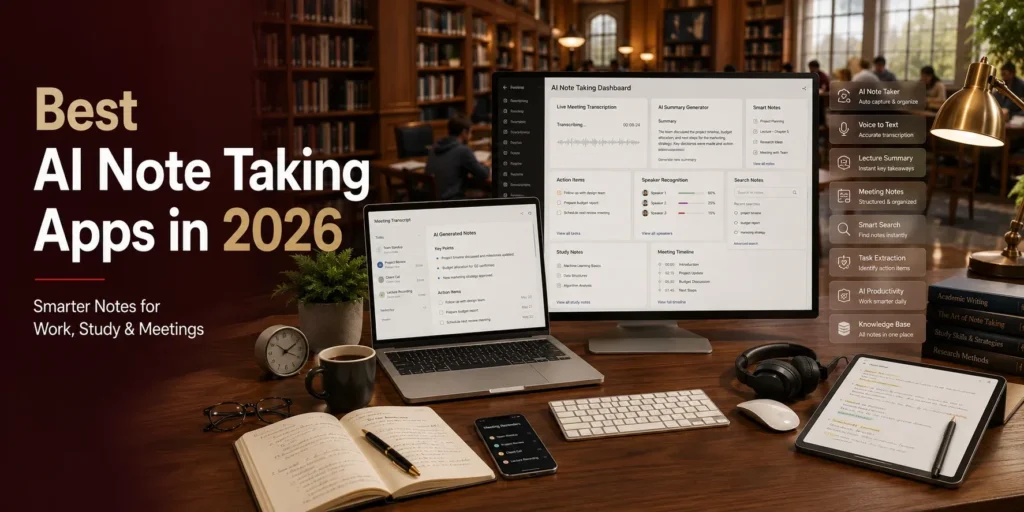
Best AI Note Taking Apps in 2026 for Work, Study & Meetings
Introduction
Keeping track of important information during meetings, lectures, interviews, and brainstorming sessions can be challenging. Traditional note-taking often requires users to divide their attention between listening and writing, increasing the risk of missing key details.
AI note taking apps solve this problem by automatically recording conversations, transcribing speech into text, summarizing discussions, organizing notes, and highlighting action items. These tools allow professionals, students, freelancers, and business teams to focus on the conversation instead of constantly typing.
Whether you’re attending online meetings, university lectures, client calls, or team discussions, AI-powered note taking apps can save time and improve productivity. In this guide, we’ll explain how these tools work, their key benefits, and the best AI note taking apps available in 2026.
What Are AI Note Taking Apps?
AI note taking apps are productivity tools that use artificial intelligence to capture, organize, and summarize information automatically. Instead of manually writing every detail, these applications listen to conversations or analyze documents and generate structured notes within seconds.
Many AI note taking tools support:
- Online meetings
- Classroom lectures
- Voice recordings
- Brainstorming sessions
- Interviews
- Project planning
- Personal notes
Some platforms also integrate directly with popular meeting software, making note collection almost effortless.
How AI Note Taking Works
Modern AI note taking apps combine speech recognition, natural language processing (NLP), and machine learning to understand spoken conversations.
Most platforms can:
- Convert speech into text.
- Identify different speakers.
- Generate concise summaries.
- Detect action items.
- Highlight important decisions.
- Organize notes automatically.
- Make notes searchable.
Instead of reviewing lengthy recordings, users receive clean and structured summaries immediately after a meeting ends.
Why Professionals and Students Use AI Notes
AI note taking apps have become essential because they eliminate repetitive manual work.
Business professionals use them to document meetings, while students rely on AI to summarize lectures and organize study material.
Common use cases include:
- Team meetings
- Client discussions
- Online classes
- Webinars
- Research interviews
- Training sessions
- Personal productivity
By automating note taking, users can stay fully engaged in conversations without worrying about missing important information.
Benefits of AI Note Taking Apps
AI-powered note taking offers several advantages for both individuals and organizations.
Automatic Note Generation
Instead of typing everything manually, AI creates organized notes automatically.
Most platforms separate discussions into sections such as:
- Key points
- Decisions
- Action items
- Questions
- Follow-up tasks
This makes reviewing information much faster.
Meeting Transcription
Many AI note taking apps provide highly accurate meeting transcription.
Users can:
- Record virtual meetings.
- Transcribe interviews.
- Save lecture recordings.
- Search transcripts instantly.
Accurate transcription ensures nothing important is overlooked.
Smart Organization
Finding information becomes much easier when notes are automatically categorized.
Many AI tools organize content by:
- Projects
- Clients
- Topics
- Dates
- Teams
- Meetings
Advanced search features also help users locate information within seconds.
Improved Productivity
Manual note taking often interrupts concentration.
AI handles documentation automatically so users can:
- Focus on discussions.
- Participate more actively.
- Save hours every week.
- Review concise summaries later.
This leads to more productive meetings and better collaboration.
Best AI Note Taking Apps in 2026
Here are three of the leading AI-powered note taking applications available today.
Notion AI
Best For: Professionals, students, and project managers.
Notion AI combines note taking, document creation, project management, and AI writing assistance in one workspace. It can summarize long documents, generate meeting notes, create task lists, and organize knowledge bases efficiently.
Key Features
- AI meeting summaries
- Smart document writing
- Task management
- Knowledge base organization
- Content generation
- Team collaboration
Pros
- All-in-one productivity platform.
- Excellent organization tools.
- AI-powered writing assistance.
- Highly customizable workspace.
Cons
- Takes time to master advanced features.
Otter.ai
Best For: Meeting transcription and interviews.
Otter.ai is one of the most popular AI transcription tools. It records conversations, identifies speakers, generates live transcripts, and produces meeting summaries that are easy to review.
Key Features
- Real-time transcription
- Speaker identification
- AI summaries
- Meeting recording
- Searchable transcripts
- Collaboration tools
Pros
- Excellent transcription accuracy.
- Supports live meetings.
- Fast summary generation.
- Easy sharing options.
Cons
- Free plan includes limited transcription minutes.
Microsoft OneNote Copilot
Best For: Microsoft 365 users.
OneNote Copilot enhances Microsoft’s popular note taking app with AI-powered summaries, content organization, brainstorming assistance, and intelligent search.
Key Features
- AI note summaries
- Intelligent organization
- Brainstorming support
- Microsoft 365 integration
- Search assistance
- Content rewriting
Pros
- Excellent Microsoft integration.
- Familiar interface.
- Strong productivity features.
- Useful AI enhancements.
Cons
- Requires access to Microsoft Copilot features.
More of the Best AI Note Taking Apps in 2026
AI note taking technology has advanced significantly, offering features beyond simple transcription. Many modern apps now organize information automatically, identify action items, and integrate with popular productivity platforms. Here are three more excellent AI note taking apps.
Evernote AI
Best For: Professionals, researchers, and personal knowledge management.
Evernote AI enhances traditional note taking with intelligent search, AI-generated summaries, and content organization. It helps users quickly find important information across thousands of notes.
Key Features
- AI note summaries
- Smart search
- Notebook organization
- Web clipper
- Document scanning
- Cross-device syncing
Pros
- Powerful organization system.
- Fast AI search capabilities.
- Excellent document management.
- Reliable synchronization.
Cons
- Premium features require a paid subscription.
Mem AI
Best For: Knowledge workers and busy professionals.
Mem AI automatically organizes notes without requiring users to manually create folders or tags. Its AI connects related ideas, retrieves relevant information, and helps users build a personal knowledge base.
Key Features
- Automatic note organization
- AI-powered search
- Smart linking
- Meeting notes
- Knowledge management
- Daily notes
Pros
- Minimal manual organization.
- Fast information retrieval.
- Clean interface.
- Strong AI assistance.
Cons
- Advanced collaboration features are still evolving.
Fireflies.ai
Best For: Remote teams, sales professionals, and business meetings.
Fireflies.ai automatically records, transcribes, summarizes, and analyzes meetings across popular video conferencing platforms. It also tracks action items and integrates with CRM and productivity tools.
Key Features
- AI meeting transcription
- Automatic summaries
- Action item detection
- Speaker recognition
- Meeting analytics
- CRM integrations
Pros
- Excellent meeting automation.
- Accurate transcription.
- Saves hours of manual work.
- Supports team collaboration.
Cons
- Some advanced integrations are available only on higher-tier plans.
How to Choose the Right AI Note Taking App
Selecting the right app depends on your workflow, devices, and productivity needs.
Identify Your Primary Use Case
Different users require different features.
Examples include:
- Business meetings
- University lectures
- Research projects
- Client interviews
- Personal knowledge management
- Daily planning
Choose a platform designed for your most common tasks.
Integration with Your Workflow
Look for apps that integrate with the tools you already use, such as:
- Google Workspace
- Microsoft 365
- Zoom
- Google Meet
- Microsoft Teams
- Slack
- Notion
Smooth integrations reduce manual work and improve efficiency.
AI Features That Matter
Compare features like:
- Real-time transcription
- AI summaries
- Speaker identification
- Action item detection
- Smart search
- Automatic organization
- Collaboration tools
The best app should simplify your workflow rather than add complexity.
Pricing and Value
Many AI note taking apps offer free plans with basic functionality.
Premium plans often include:
- Unlimited transcription
- Longer recordings
- Advanced AI summaries
- Team collaboration
- Additional cloud storage
- Priority support
Select a plan that matches your daily usage and budget.
AI Note Taking Apps vs Traditional Note Taking
| Feature | AI Note Taking Apps | Traditional Notes |
| Meeting Transcription | ✅ Automatic | ❌ Manual |
| AI Summaries | ✅ Instant | ❌ Not Available |
| Searchable Notes | ✅ Yes | ⚠ Limited |
| Speaker Recognition | ✅ Supported | ❌ No |
| Organization | ✅ AI Powered | ⚠ Manual |
| Productivity | High | Moderate |
AI note taking apps help users capture more information while spending less time on documentation.
Best Practices for Using AI Note Taking Apps
To maximize the benefits of AI note taking:
- Review AI-generated summaries after each meeting.
- Correct important names or technical terms when necessary.
- Organize notes into projects or topics.
- Share meeting summaries with team members promptly.
- Use searchable tags and folders where appropriate.
- Combine AI-generated notes with your own observations.
AI is most effective when paired with human review and context.
Conclusion
AI note taking apps have transformed the way professionals, students, and businesses capture information. From automatic meeting transcription and intelligent summaries to searchable knowledge bases and task management, these tools make documentation faster and more efficient.
Whether you choose Notion AI, Otter.ai, Microsoft OneNote Copilot, Evernote AI, Mem AI, or Fireflies.ai, the right platform depends on your workflow and productivity goals. By combining AI automation with thoughtful review, you can save time, improve organization, and focus more on meaningful work instead of manual note taking.
Frequently Asked Questions
Are AI note taking apps accurate?
Most modern AI note taking apps provide highly accurate transcription and summaries, especially when audio quality is clear. Reviewing the final notes is still recommended.
Can AI summarize long meetings?
Yes. Many AI note taking tools automatically generate concise summaries, highlight key discussion points, and identify action items after lengthy meetings.
Which AI note taking app is best for students?
Notion AI and Microsoft OneNote Copilot are excellent choices for students because they combine note organization, AI writing assistance, and study management features.
Do AI note taking apps work with Zoom and Google Meet?
Yes. Many leading AI note taking platforms integrate directly with Zoom, Google Meet, Microsoft Teams, and other video conferencing services.
Can AI replace manual note taking?
AI significantly reduces the need for manual note taking, but reviewing and adding personal insights remains valuable for improving accuracy and retaining important context.