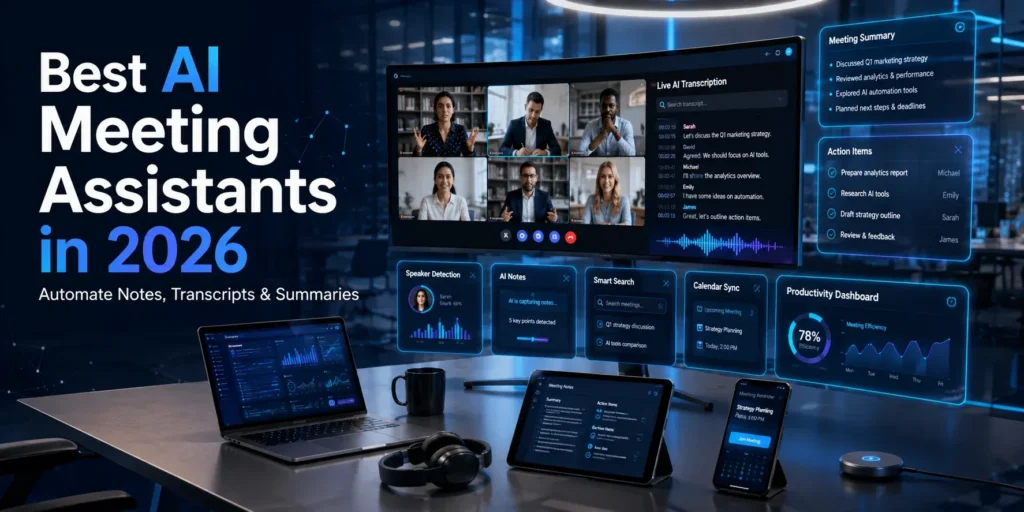
Best AI Meeting Assistants in 2026: Automate Notes, Transcripts & Summaries
Introduction
Meetings are an essential part of modern business, but taking detailed notes while actively participating in discussions can be challenging. Missing important decisions, action items, or follow-up tasks often leads to confusion and reduced productivity.
AI meeting assistants solve this problem by automatically recording conversations, generating accurate transcripts, creating meeting summaries, and identifying action items. Instead of spending time writing notes manually, teams can focus on meaningful discussions while AI captures the important details.
Whether you’re attending client meetings, sales calls, online classes, remote team discussions, or project planning sessions, AI meeting assistants can save time and improve collaboration.
In this guide, we’ll explain how AI meeting assistants work, their key benefits, and the best AI-powered meeting tools available in 2026.
What Is an AI Meeting Assistant?
An AI meeting assistant is software that uses artificial intelligence to record, transcribe, summarize, and organize conversations during virtual or in-person meetings.
Most AI meeting assistants integrate with popular communication platforms such as:
- Zoom
- Google Meet
- Microsoft Teams
- Slack
- Webex
They automatically join scheduled meetings, capture conversations, identify speakers, and generate organized summaries that teams can review afterward.
Many tools also integrate with CRM systems, project management platforms, and documentation software to streamline workflows.
How AI Meeting Assistants Work
Modern AI meeting assistants combine speech recognition, natural language processing (NLP), and machine learning to understand conversations in real time.
These tools can:
- Convert speech into text.
- Identify different speakers.
- Generate concise meeting summaries.
- Highlight key discussion points.
- Detect action items.
- Create searchable meeting archives.
Some advanced platforms even analyze conversation sentiment and provide coaching insights for sales and customer support teams.
Why Businesses Are Using AI Meeting Tools
Organizations are increasingly adopting AI meeting assistants because they reduce administrative work and improve communication.
Instead of assigning someone to take notes, AI handles documentation automatically.
Businesses use AI meeting assistants to:
- Improve meeting productivity.
- Reduce manual note-taking.
- Share summaries with team members.
- Track project decisions.
- Increase accountability for follow-up tasks.
For remote and hybrid teams, AI meeting tools have become an essential part of daily collaboration.
Benefits of AI Meeting Assistants
AI-powered meeting software offers several advantages for businesses, freelancers, educators, and professionals.
Automatic Meeting Notes
One of the biggest benefits is automated note-taking.
Instead of typing throughout the meeting, AI captures important information and organizes it into structured notes.
This allows participants to focus entirely on discussions rather than documentation.
Accurate AI Transcription
AI meeting assistants generate detailed transcripts that can be searched later.
Accurate transcriptions help teams:
- Review conversations.
- Verify decisions.
- Share meeting records.
- Improve documentation.
- Maintain compliance where required.
Many platforms also support multiple languages and speaker identification.
Smart Action Items
Rather than simply recording conversations, AI identifies tasks and responsibilities mentioned during meetings.
Examples include:
- Follow-up emails
- Project deadlines
- Assigned responsibilities
- Client requests
- Upcoming meetings
Automatically tracking action items helps teams stay organized and reduces the risk of missed tasks.
Better Team Collaboration
Meeting summaries can be shared instantly with team members who couldn’t attend.
This keeps everyone aligned and reduces the need for additional follow-up meetings.
Centralized meeting records also make onboarding new employees and reviewing project history much easier.
Best AI Meeting Assistants in 2026
The market offers several excellent AI meeting assistants, each designed for different business needs.
Otter.ai
Best For: Businesses, educators, and remote teams.
Otter.ai is one of the most popular AI meeting assistants. It automatically records meetings, generates live transcripts, and creates searchable meeting notes.
Key Features
- Live transcription
- AI meeting summaries
- Speaker identification
- Searchable conversations
- Team collaboration
- Meeting highlights
Pros
- High transcription accuracy.
- Excellent integrations.
- Easy-to-use interface.
- Great for remote teams.
Cons
- Free plan includes usage limits.
Fireflies.ai
Best For: Sales teams, customer success teams, and business meetings.
Fireflies.ai automatically joins meetings, records conversations, and generates AI-powered summaries. It also integrates with CRM platforms to simplify sales workflows.
Key Features
- AI meeting recorder
- Automatic transcription
- CRM integrations
- Conversation search
- Action item detection
- Collaboration tools
Pros
- Strong business integrations.
- Excellent search functionality.
- Saves significant administrative time.
Cons
- Some advanced analytics require premium plans.
Fathom
Best For: Zoom users and client meetings.
Fathom focuses on simplifying virtual meetings by generating instant summaries, highlighting important moments, and allowing users to share clips with teammates.
Key Features
- Zoom integration
- AI summaries
- Meeting highlights
- Shareable clips
- Instant notes
- Action tracking
Pros
- Beginner-friendly.
- Fast meeting summaries.
- Useful for client-facing teams.
Cons
- Platform support is more limited than some competitors.
More of the Best AI Meeting Assistants in 2026
As AI technology continues to improve, meeting assistants are becoming more accurate, intelligent, and deeply integrated with workplace productivity tools. Here are three more excellent AI meeting assistants worth considering.
Notta
Best For: Multilingual meetings and international teams.
Notta is an AI-powered transcription and meeting assistant that supports multiple languages and automatically converts conversations into searchable text. It’s a strong choice for businesses with global teams or users who regularly attend multilingual meetings.
Key Features
- Real-time transcription
- AI meeting summaries
- Multi-language support
- Audio and video transcription
- Cloud synchronization
- Searchable meeting history
Pros
- Supports many languages.
- High transcription accuracy.
- Simple and clean interface.
- Easy sharing options.
Cons
- Free plan includes limited transcription minutes.
Avoma
Best For: Sales teams, customer success, and business meetings.
Avoma combines AI meeting assistance with conversation intelligence. Beyond recording and summarizing meetings, it provides analytics that help sales representatives improve customer interactions and close more deals.
Key Features
- AI-generated meeting notes
- Automatic transcription
- CRM integration
- Conversation analytics
- Smart scheduling
- Collaborative note sharing
Pros
- Excellent for sales organizations.
- Strong CRM integrations.
- Useful coaching insights.
- Saves administrative work.
Cons
- Advanced business features are available only on premium plans.
Granola
Best For: Professionals who prefer lightweight AI note-taking.
Granola takes a different approach by combining your own notes with AI-generated meeting summaries. Instead of replacing your workflow, it enhances it by organizing and expanding your notes after each meeting.
Key Features
- AI-enhanced note-taking
- Automatic summaries
- Meeting organization
- Minimal interface
- Smart formatting
- Quick search
Pros
- Very simple to use.
- Keeps personal notes organized.
- Produces clean meeting summaries.
- Lightweight and distraction-free.
Cons
- Fewer integrations than some larger competitors.
How to Choose the Right AI Meeting Assistant
Choosing the right AI meeting assistant depends on your workflow, team size, and the communication platforms you use every day.
Platform Compatibility
Before selecting a tool, make sure it integrates with your preferred meeting software, such as:
- Zoom
- Google Meet
- Microsoft Teams
- Webex
- Slack
Seamless integration reduces setup time and improves the overall experience.
Transcription Accuracy
Accurate transcription is one of the most important features. Look for platforms that offer:
- High speech recognition accuracy
- Speaker identification
- Multiple language support
- Fast transcript generation
Better accuracy means fewer manual corrections after meetings.
Collaboration Features
If you work with a team, choose software that allows you to:
- Share meeting summaries
- Assign action items
- Comment on notes
- Search previous meetings
- Integrate with project management tools
These features improve communication and accountability.
Security and Privacy
Businesses discussing confidential information should evaluate:
- Data encryption
- Compliance certifications
- User permissions
- Data retention policies
- Enterprise security options
Protecting sensitive meeting data is essential, especially for larger organizations.
AI Meeting Assistants vs Manual Note-Taking
| Feature | AI Meeting Assistants | Manual Note-Taking |
|---|---|---|
| Live Transcription | ✅ Automatic | ❌ Manual |
| Meeting Summaries | ✅ AI Generated | ❌ Manual |
| Action Item Detection | ✅ Automatic | ⚠ May Miss Tasks |
| Search Past Meetings | ✅ Easy | ❌ Difficult |
| Collaboration | ✅ Instant Sharing | ⚠ Manual Distribution |
| Time Required | Minimal | High |
AI meeting assistants reduce repetitive work while making meeting information easier to organize, search, and share.
Best Practices for Using AI Meeting Assistants
To get the most value from AI meeting software:
- Inform participants that meetings are being recorded where required by local laws or company policies.
- Review AI-generated summaries before sharing them.
- Clearly assign action items after each meeting.
- Organize transcripts by project or client.
- Integrate your meeting assistant with task management and CRM platforms.
- Archive important meetings for future reference.
Using AI alongside good meeting habits helps teams stay productive and aligned.
Conclusion
AI meeting assistants are transforming workplace productivity by eliminating the need for manual note-taking and making meetings more actionable. Instead of worrying about documenting every conversation, teams can focus on collaboration while AI captures key decisions, generates summaries, and tracks follow-up tasks.
Whether you choose Otter.ai, Fireflies.ai, Fathom, Notta, Avoma, or Granola, the right AI meeting assistant can save time, improve communication, and keep projects moving forward. As AI continues to evolve, these tools will play an even bigger role in helping businesses and professionals work more efficiently.
Frequently Asked Questions
Are AI meeting assistants accurate?
Most leading AI meeting assistants provide highly accurate transcriptions, especially when audio quality is clear. Accuracy can vary depending on accents, background noise, and internet quality.
Can AI meeting assistants work with Zoom and Google Meet?
Yes. Most popular AI meeting assistants integrate directly with Zoom, Google Meet, Microsoft Teams, and other major video conferencing platforms.
Which AI meeting assistant is best for businesses?
Otter.ai and Fireflies.ai are excellent all-around choices for businesses, while Avoma is particularly strong for sales teams thanks to its conversation intelligence and CRM integrations.
Are AI meeting assistants suitable for remote teams?
Absolutely. They help remote teams stay aligned by automatically recording meetings, generating summaries, and sharing action items with everyone involved.
Do AI meeting assistants offer free plans?
Many platforms provide free plans with limited transcription minutes or features. Paid subscriptions typically unlock longer recordings, advanced AI summaries, analytics, and additional integrations.