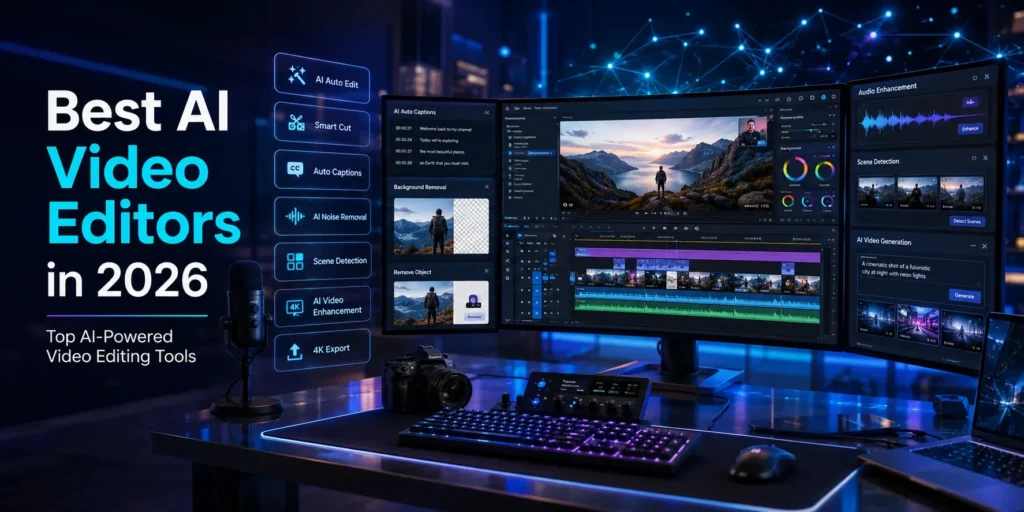
Best AI Video Editors in 2026: Edit Videos Faster with Artificial Intelligence
Introduction
Video content dominates today’s digital landscape, from YouTube and TikTok to Instagram Reels, online courses, and business marketing campaigns. However, editing professional videos has traditionally required advanced software, technical skills, and many hours of manual work.
Artificial intelligence is changing that. Modern AI video editors can automatically remove silence, generate captions, improve audio quality, detect scenes, create subtitles, and even edit videos using simple text commands. These features dramatically reduce editing time while helping creators produce high-quality content.
Whether you’re a YouTuber, social media creator, freelancer, marketer, or business owner, AI video editing tools can streamline your workflow and improve your content without requiring professional editing experience.
In this guide, we’ll explore how AI video editors work, their key benefits, and the best AI-powered video editing tools available in 2026.
What Is an AI Video Editor?
An AI video editor is software that uses artificial intelligence to automate various video editing tasks. Instead of manually performing every edit, users can rely on AI to handle repetitive and time-consuming processes.
Common AI-powered features include:
- Automatic video trimming
- Scene detection
- Text-based editing
- Auto-generated captions
- Noise removal
- Background removal
- AI voice enhancement
- Smart transitions
- Video resizing for different platforms
These tools make professional editing faster and more accessible for creators of all skill levels.
How AI Video Editing Works
AI video editors analyze your footage using machine learning algorithms and computer vision. They identify spoken words, facial expressions, background noise, camera cuts, and visual objects to recommend or apply edits automatically.
For example, AI can:
- Detect pauses and remove them.
- Identify speakers and generate subtitles.
- Improve audio clarity by reducing background noise.
- Suggest better transitions between clips.
- Reframe videos for vertical or square formats.
- Generate highlight clips from long videos.
Many tools also include generative AI features that can create B-roll, visuals, or animations based on text prompts.
Why AI Video Editing Is Becoming Popular
The demand for video content continues to grow, but creators often struggle with the time required for editing.
AI solves this problem by helping users:
- Publish videos more quickly.
- Maintain consistent editing quality.
- Reduce production costs.
- Create content for multiple platforms.
- Focus more on creativity than repetitive editing tasks.
This is especially valuable for YouTubers, digital marketers, educators, agencies, and businesses producing content at scale.
Benefits of AI Video Editors
AI-powered editing tools offer several practical advantages that improve both speed and content quality.
Faster Editing Workflow
Traditional editing involves manually trimming clips, synchronizing audio, adding captions, and exporting different versions.
AI automates many of these steps, allowing creators to finish projects in a fraction of the time.
This enables businesses and creators to publish content more frequently without increasing workload.
Automatic Caption Generation
Captions improve accessibility and engagement, especially on social media platforms where many users watch videos without sound.
AI video editors can:
- Convert speech into accurate subtitles.
- Automatically synchronize captions.
- Translate subtitles into multiple languages.
- Customize fonts and styles.
This saves hours of manual transcription work.
Smart Background Removal
Some AI editors can automatically separate subjects from the background without requiring a green screen.
This feature is useful for:
- Product videos
- Online courses
- Marketing campaigns
- Virtual presentations
- YouTube content
Creators can replace backgrounds or apply visual effects with just a few clicks.
AI Audio Enhancement
Poor audio quality can reduce viewer engagement.
AI-powered audio tools automatically:
- Remove background noise.
- Reduce echo.
- Improve voice clarity.
- Balance audio levels.
- Enhance speech quality.
These features help creators produce professional-sounding videos without expensive recording equipment.
Best AI Video Editors in 2026
The AI video editing market has expanded rapidly, offering tools designed for everyone from beginners to professional filmmakers.
Descript
Best For: Podcasters, YouTubers, and educational creators.
Descript combines video editing, audio editing, transcription, and AI voice tools into a single platform. One of its standout features is text-based editing, allowing users to edit videos simply by editing the transcript.
Key Features
- Text-based video editing
- AI voice cloning
- Automatic transcription
- Screen recording
- Podcast editing
- Background noise removal
Pros
- Extremely beginner-friendly.
- Excellent transcription accuracy.
- Great for podcasts and tutorials.
- Saves significant editing time.
Cons
- Some advanced AI features require a paid subscription.
H3: CapCut AI
Best For: Short-form videos, TikTok, Instagram Reels, and YouTube Shorts.
CapCut AI has become one of the most popular video editing tools thanks to its intuitive interface and powerful AI features. It offers automatic captions, AI effects, background removal, and one-click templates that simplify content creation.
Key Features
- AI captions
- Auto cut
- Background remover
- AI effects
- Text-to-speech
- Trending templates
Pros
- Easy to learn.
- Excellent for social media creators.
- Free plan available.
- Fast export options.
Cons
- Some premium templates require a subscription.
VEED.io
Best For: Marketing teams, educators, and businesses.
VEED.io is a browser-based AI video editor designed for creating professional videos without downloading software. It offers automatic subtitles, AI avatars, screen recording, and collaboration features, making it ideal for teams.
Key Features
- AI subtitle generation
- AI avatars
- Screen recorder
- Team collaboration
- Brand templates
- Online editing
Pros
- Works directly in the browser.
- Simple interface.
- Great collaboration features.
- Excellent subtitle accuracy.
Cons
- Free exports include limitations.
More of the Best AI Video Editors in 2026
As AI technology continues to evolve, video editing software is becoming more intelligent and accessible. The following tools offer advanced AI-powered features for creators, businesses, and professional editors.
Adobe Premiere Pro (AI Features)
Best For: Professional video editors and filmmakers.
Adobe Premiere Pro remains one of the industry’s leading video editing applications. With Adobe Sensei AI, it now includes intelligent tools that automate repetitive editing tasks while maintaining professional-level control.
Key Features
- AI-powered Auto Reframe
- Speech Enhancement
- Scene Edit Detection
- Color Matching
- Automatic Caption Generation
- Object Selection Tools
Pros
- Professional editing capabilities
- Powerful AI automation
- Excellent integration with Adobe Creative Cloud
- Suitable for large commercial projects
Cons
- Subscription-based pricing
- Steeper learning curve for beginners
Runway
Best For: AI-generated videos and creative content production.
Runway is one of the most innovative AI video platforms available today. It allows users to generate videos from text prompts, remove objects, replace backgrounds, and create cinematic effects using generative AI.
Key Features
- Text-to-video generation
- Video inpainting
- AI background replacement
- Motion tracking
- Green screen removal
- Image-to-video creation
Pros
- Cutting-edge AI features
- Great for creative professionals
- Cloud-based workflow
- Frequent feature updates
Cons
- High-end features may require premium plans.
Filmora AI
Best For: Beginners and content creators.
Filmora combines a user-friendly interface with practical AI tools, making it a popular choice for YouTubers, educators, and small businesses.
Key Features
- AI Smart Cutout
- AI Audio Denoise
- AI Thumbnail Generator
- Auto Captions
- AI Text-Based Editing
- Motion Tracking
Pros
- Easy to learn
- Affordable pricing
- Wide selection of templates
- Fast rendering performance
Cons
- Some AI features are available only in higher-tier plans.
How to Choose the Right AI Video Editor
The ideal AI video editor depends on your content type, editing experience, and budget.
Content Type
Choose software based on your primary workflow.
- YouTube Creators: Descript, Filmora AI
- Short-Form Content: CapCut AI
- Professional Production: Adobe Premiere Pro
- AI Video Generation: Runway
- Business & Marketing: VEED.io
AI Features
Different editors specialize in different AI capabilities.
Look for tools that offer:
- Auto captions
- Text-based editing
- AI voice enhancement
- Background removal
- AI-generated visuals
- Scene detection
Select the features that align with your workflow instead of paying for functions you may never use.
Ease of Use
Beginners often benefit from editors with drag-and-drop interfaces and AI automation, while professionals may prefer software offering greater manual control.
Budget
Many AI video editors provide free plans, but premium subscriptions usually unlock:
- Higher export quality
- Longer videos
- Faster rendering
- Additional AI credits
- Commercial usage rights
Compare pricing with your editing needs before making a decision.
AI Video Editors vs Traditional Video Editing Software
| Feature | AI Video Editors | Traditional Editors |
|---|---|---|
| Auto Captions | ✅ Automatic | ❌ Mostly manual |
| Background Removal | ✅ AI-powered | ❌ Manual masking |
| Audio Cleanup | ✅ One click | ⚠ Requires manual editing |
| Text-Based Editing | ✅ Available | ❌ Not available |
| Learning Curve | Easy to Moderate | Moderate to Advanced |
| Editing Speed | Very Fast | Slower |
AI video editors significantly reduce repetitive work, while traditional software provides deeper manual control for advanced productions.
Best Practices for Using AI Video Editors
To achieve the best results:
- Record high-quality source footage.
- Review AI-generated captions before publishing.
- Keep branding consistent across videos.
- Use AI to automate repetitive tasks rather than replace creative decision-making.
- Optimize videos for each platform’s aspect ratio.
- Export in high resolution for better viewer experience.
Combining AI automation with human creativity usually produces the strongest results.
Conclusion
AI video editors are transforming the way content is created by making professional-quality editing faster, simpler, and more accessible. Whether you’re producing YouTube videos, social media clips, online courses, or marketing campaigns, AI-powered tools can automate repetitive tasks and help you focus on storytelling.
Platforms like Descript, CapCut AI, VEED.io, Adobe Premiere Pro, Runway, and Filmora AI each offer unique strengths. By choosing the tool that matches your workflow and goals, you can improve productivity while creating high-quality videos more efficiently.
As AI continues to advance, video editing will become even smarter, enabling creators and businesses to produce engaging content at scale without sacrificing quality.
Frequently Asked Questions
Are AI video editors suitable for beginners?
Yes. Most AI editors are designed with simple interfaces and automated tools that make professional editing accessible to new users.
Can AI edit an entire video automatically?
AI can automate many editing tasks such as trimming, captioning, background removal, and audio enhancement. However, reviewing and refining the final edit is still recommended.
Which AI video editor is best for YouTube?
Descript, Filmora AI, and Adobe Premiere Pro are excellent choices for YouTube creators, depending on your editing experience and production needs.
Do AI video editors support vertical videos?
Yes. Most modern AI video editors can automatically resize and optimize videos for YouTube Shorts, TikTok, Instagram Reels, and other social media platforms.
Are free AI video editors worth using?
Free plans are ideal for beginners and small projects. As your content grows, upgrading to a premium plan often provides better export quality, more AI features, and fewer limitations.