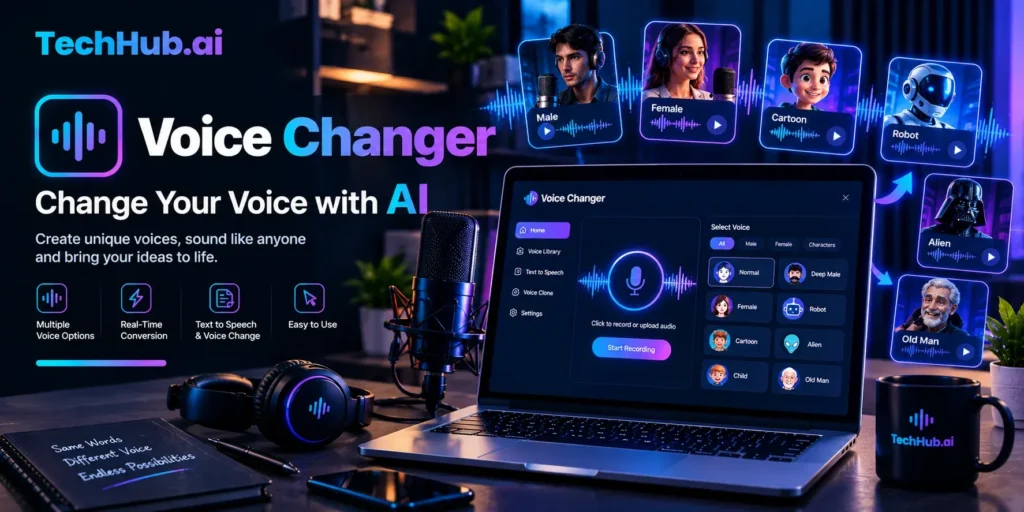
Voice Changer Guide: What It Is, How It Works and Which to Use
You record ten seconds of your own speech, press a button, and a stranger’s voice comes out. Your pacing, your laugh and even your pauses stay the same. That trick used to need a studio and a voice actor. Now a free voice changer can do it on your laptop in a few minutes.
But there is a catch. Some tools are built for silly effects. Others are built for lifelike AI voices. A few can even be misused for scams, and the law is catching up. This guide explains how the technology works, compares the tools people search for most, and shows you how to pick one without regretting it.
Quick Answer: What Is a Voice Changer?
A voice changer is a tool or app that alters how your voice sounds, either live while you talk or after you record. It can raise or lower your pitch, add effects like echo or a robot tone, or swap your voice for a completely different AI voice.
Most tools fall into one of three groups:
- Real-time apps that change your voice live in games, calls and streams.
- Online tools that process an audio clip in your browser.
- AI voice changers that convert speech into another voice while keeping emotion and timing.
The right choice depends on one question: do you need to sound different right now, or do you need a polished clip later?
The Three Types at a Glance
| Type | Best for | Works live? | Typical cost | Main drawback |
| Real-time desktop app | Discord, games, streaming | Yes | Free tier, paid upgrades | Needs installation and setup |
| Online effect tool | Quick jokes, short clips | No | Often free | Basic effects, little control |
| AI speech-to-speech tool | Voiceovers, videos, characters | Usually no | Free credits, then paid | Limits on minutes and file length |
Use this table as a starting point. Many people end up using two tools, one for live chat and one for recorded content.
How a Voice Changer Actually Works
Under the hood, there are two very different methods. Knowing the difference helps you understand why some results sound silly and others sound human.
Method 1: Signal processing
The older method edits the sound wave directly. It can shift pitch up or down, change a part of your voice called the formant, and add effects like echo, distortion or a telephone filter. Pitch is how high or low a voice sounds. Formants shape the “body” of a voice, which is why a simple pitch shift can sound like a chipmunk instead of a different person.
This method is fast and light on your computer. That is why it works well live. The tradeoff is that you still sound like you, just filtered.
The site VoiceChanger.io shows this style clearly. Its effects include a monster tone made by deepening the voice and smoothing the highs, a telephone effect that removes high and low frequencies, and a Dalek effect that uses a ring modulator, the same kind of electronics behind that Doctor Who voice.
Method 2: AI voice conversion
The newer method uses a trained voice model. You speak, and the software rebuilds your speech in the target voice. Your timing, emotion and accent can carry over, so the result sounds like another person performing your lines. ElevenLabs describes its tool this way, saying it preserves things like whispers, laughs and subtle emotional cues.
AI conversion sounds far more natural. It also raises bigger questions about consent, because the same technology that makes a fun character voice can copy a real person.
Why latency matters
Latency is the delay between your speech and the changed sound. For a live game, even a short delay feels awkward. Apps that run on your own device can keep delay low. Cloud tools upload your audio first, so they suit recordings better than live chat.
Best Voice Changer Options Right Now
Here are the tools that show up most often in search results and AI answers. All details below come from each company’s own website, checked in October 2026. Features and prices change often, so confirm on the official page before you pay.
ElevenLabs: best for natural AI voices
ElevenLabs is built for recorded audio. You upload a file or record in the app, pick a voice, and generate the result. Its page lists more than 10,000 voices and says the free plan includes 10,000 credits per month, which it translates to about 10 minutes of conversion. Paid plans listed on the page include Starter at $6 per month, Creator at $22 per month and Pro at $99 per month. Each conversion is capped at 5 minutes, and uploads can be up to 50 MB.
It is a strong pick for YouTube voiceovers, audiobooks and character work. It is not a live tool for Discord.
VoiceChanger.io: best for quick online effects
VoiceChanger.io runs in your browser. You upload audio or use your microphone, pick an effect, then play or download the result as a WAV file. It offers dozens of effects, from robot and demon to slow, fast and reversed audio. The owner states the clips can be used for any purpose, including commercial use, and describes the site as a hobby project that will not be updated often.
It is great for a laugh or a short clip. It is not meant for real anonymity, and the site itself says so.
VoiceChanger.Live (Echo): best for free live changes
Voice Changer.Live promotes an app called Echo. The company says core features are free and that it works with Discord, Valorant, Fortnite, OBS and Zoom through a virtual microphone. It offers AI voices imported from a community library, live effects and a soundboard. The site says processing runs locally on your device.
This is the closest match for gamers who want a free live option. Because it uses community voice models, read the terms and think about whose voice a model copies before you use it publicly.
Voicemod: best known for gaming and streaming
Voicemod is a desktop app for real-time voice changing and soundboards. Independent review sites agree on the basic setup: a free tier with a limited rotating set of voices and a paid Pro tier for the full library. Their price figures do not match each other, so check Voicemod’s official pricing page instead of trusting a number from a review site. Download only from the official site, because fake “Pro” files are a common malware trick.
Editors and other tools
Google’s AI answers also point to CapCut and Canva, which offer preset voice effects inside video editors, and Murf AI, which focuses on realistic AI voices. These make sense when you are already editing a video and want one effect, not a full voice toolkit.
Side-by-Side Comparison
| Tool | Live use | Recorded audio | Free option | Best use |
| ElevenLabs | No | Yes | 10,000 credits per month | Voiceovers and characters |
| VoiceChanger.io | No | Yes | Free | Fun effects and quick clips |
| VoiceChanger.Live (Echo) | Yes | Yes | Core features free | Gaming and streaming |
| Voicemod | Yes | Limited | Limited free tier | Discord, games, soundboards |
| CapCut / Canva | No | Yes | Varies by plan | Effects inside video edits |
How to Pick the Right One
Start with your goal, then match the tool. A short checklist helps:
- Playing games or chatting on Discord? Choose a real-time app with a virtual microphone.
- Making a YouTube or TikTok video? Choose an AI tool or a video editor with voice effects.
- Just want a joke clip? Use a browser tool and skip the install.
- Want a voice that sounds human? Choose AI speech-to-speech, and check the limits on minutes.
- Using it for business? Read the license. Free plans often limit commercial use.
If you are unsure, try a free browser tool first. It costs nothing and teaches you what you actually like.
How to Set Up a Live Voice Changer for Discord or Games
Real-time apps all work in a similar way. They install a virtual microphone, and your game or chat app listens to that instead of your real mic.
- Download from the official website. Avoid mirror sites and “cracked” versions.
- Install the app and allow the virtual audio device. This is what makes live changes possible.
- Pick your real microphone inside the app as the input.
- Choose a voice or effect and test it with the app’s own preview.
- Open Discord, your game or OBS and set the input device to the app’s virtual microphone.
- Do a test call with a friend before you go live.
If people hear a doubled or echoing voice, you probably have both your real mic and the virtual mic active. Turn the real one off in your game or chat settings.
How to Change Your Voice in a Recording
For a recorded clip, the steps are simpler:
- Record in a quiet room or upload an existing file.
- Pick a voice or effect.
- Generate the result and listen to it all the way through.
- Download the file and edit it in your video or audio editor.
Quality drops fast when the original audio is poor. A cheap headset in a quiet room beats an expensive mic in a noisy kitchen.
Tips for Better Results
Small habits make a big difference. These tips apply to nearly every tool:
- Speak slowly with echo effects. Echoes pile up and blur your words if you talk fast. VoiceChanger.io gives this exact advice.
- Match the character. Some effects work better when you imitate the target voice a little. The same site notes this for Dalek and Bane effects.
- Keep background noise low. Noise confuses both effects and AI models.
- Test your volume. Effects can get louder or quieter than your normal voice.
- Keep the original file. If you dislike the result, you can try another voice without recording again.
Safety, Privacy and Legal Limits
Most people use these tools for harmless fun. Still, a few risks are worth knowing before you click download.
Download safety. Voice apps install an audio driver on your device, so only get them from the official website. Pages that offer a free “Pro APK” or cracked license are a common way to spread malware.
Privacy. Cloud tools upload your audio. Read the privacy policy if the clip contains personal details. Local apps process audio on your device, which many people prefer.
Consent. Do not copy a real person’s voice without permission, and do not use a changed voice to fool someone who trusts you. Many platforms ban impersonation in their rules, and several places now treat it as illegal in certain uses.
Not real anonymity. A fun effect is not a disguise. VoiceChanger.io warns that its anonymous effect should not be used for real anonymising.
Real-Life Example: When AI Voices Reached the Law
On February 8, 2024, the US Federal Communications Commission announced a unanimous ruling that calls made with AI-generated voices count as “artificial” under the Telephone Consumer Protection Act. The ruling took effect immediately.
The decision followed a robocall incident before the New Hampshire primary, where an AI-generated voice resembling President Joe Biden urged people not to vote in the primary, according to news coverage of the ruling. Under the ruling, callers who use AI voices in outbound calls must get prior consent from the person they call, with limited exceptions such as emergencies.
Separately, the Federal Trade Commission has warned about family emergency scams. In its advice, the FTC says a scammer may need only a short audio clip from content posted online plus a voice-cloning program. Its advice is simple: do not trust the voice, call the person on a number you know, and consider setting a family code word.
What you can learn from this: The same technology behind a fun voice effect can be abused. Use it with consent, and be careful with what you believe on the phone.
Common Mistakes to Avoid
- Picking an AI tool for a live game. Many cloud tools are made for recordings, not live chat.
- Trusting review-site prices. Third-party sites often disagree. Check the official pricing page.
- Ignoring the license. Free does not always mean free for commercial use.
- Using a download from an unknown site. Stick to official pages.
- Skipping the test call. A bad level or doubled mic will ruin a stream fast.
- Expecting a perfect copy of any voice. Results depend on your input audio and the model.
Final Thoughts
A good voice changer is not about finding the single “best” app. It is about matching the tool to the job. Real-time apps suit gaming and streaming. Browser tools suit quick laughs. AI speech-to-speech tools suit polished voiceovers and characters. Start free, test with a short clip, and read the privacy and license terms before you commit.
Most important, use these tools with respect. A changed voice is a fun creative tool. It should never be a way to trick or harm someone.
FAQ
Is there a free voice changer?
Yes. VoiceChanger.io is a free browser tool, VoiceChanger.Live offers a free app with core features, ElevenLabs has a free monthly credit allowance, and Voicemod has a limited free tier. Free plans usually limit voices, minutes or commercial use.
What is the best app for Discord?
For live chat you need a real-time app with a virtual microphone. Voicemod and VoiceChanger.Live (Echo) are two options that say they support Discord. Test any app with a friend before you rely on it.
Can a man sound like a woman with these tools?
Yes, within limits. A simple pitch tool can raise your voice, but formants matter too, so results can sound artificial. AI tools usually sound more natural because they rebuild the voice instead of just shifting it. ElevenLabs lists gender-change use cases on its page.
Are these apps safe to download?
Official apps from known companies are generally fine, but only if you download from the official website. Avoid cracked versions and “free Pro” files, since those are common malware traps.
Is it legal to use one?
Changing your own voice for fun is generally fine. Problems start with impersonation, fraud or deceiving people. In the US, the FCC has ruled that AI-generated voices in robocalls are covered by the TCPA. Laws differ by country, so check your local rules. This is general information, not legal advice.
What is the difference between voice changing and voice cloning?
Voice changing alters or replaces how a voice sounds. Voice cloning copies a specific person’s voice from a sample. Some tools do both, which is why consent matters.