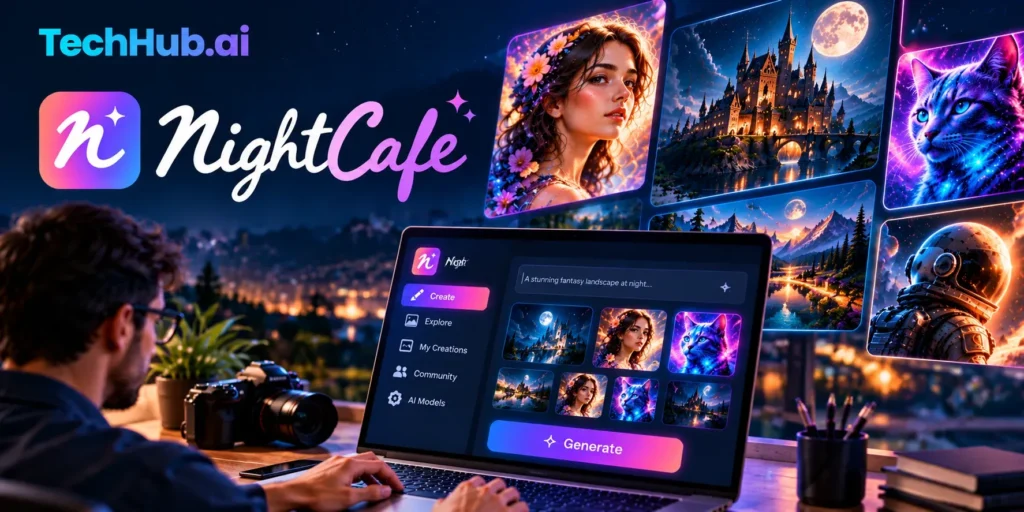
NightCafe in 2026: What It Costs, What Is Free, and What to Watch
A Google AI Overview in early October 2026 says NightCafe plans start at about $6.24 a month. That figure is real, but it is not the lowest price, and it only applies during a sale that ends on October 11, 2026.
Many older reviews are even further off. They list plan prices and credit counts that the platform no longer uses.
This guide relies on the platform’s own pricing and help pages, plus a TechCrunch interview with its co-founder. You will learn what the generator does, what you get for free, what each paid plan costs today, and where the limits are.
Quick Answer
NightCafe is an online AI art generator that turns text prompts into images and short videos. It puts many AI models behind one account, adds a community with daily challenges, and uses credits to pay for each creation.
You can start for free. Paid PRO plans cost $7.49 to $62.49 per month when billed monthly, and annual billing lowers the monthly cost. These prices were checked on October 4, 2026.
What the Platform Actually Does
The site is an aggregator. Its co-founder told TechCrunch in 2024 that the company has no AI models of its own. It builds the interface and the community, then connects models made by other companies.
That means one login gives you many image models. The official site names Flux, GPT Image, Seedream, and Nano Banana Pro among them, and the PRO page says there are 50+ PRO image models. The lineup changes often, so trust the model picker inside your account over any list, including this one.
Here are the main tools:
- Text to image: type a prompt, pick a model, and create.
- Prompt to edit: some models accept a start image or several images, then change them with words.
- Consistent characters: save a character and reuse it. Plans allow from 3 to 50 saved characters.
- Video: turn stills or prompts into short clips. Beginner and Hobbyist plans get basic video models. Enthusiast and above get the full video library.
- Community: daily challenges, public galleries, tipping, and chat.
One recent daily challenge shown on the site had 4,711 entries and more than 213,000 votes. That community layer is what separates the platform from a plain prompt box.
How the Credit System Works
Every creation costs credits. The price depends on the model and the settings you pick. Two kinds of credits matter.
Fast Credits come with PRO plans, top-ups, and credit packs. They create images right away. Unused Fast Credits roll over and never expire. Some costly models, such as Nano Banana Pro and the medium and expensive video models, require them.
Relax Credits are free. You earn them from daily login, the Daily Challenge, badges, and a streak reward of 10 credits every 5 days. They work like Fast Credits but run at lower priority, so you usually wait a few seconds to a minute. In Relax mode, you can queue one creation at a time.
Two rules can save you money:
- Failed creations are refunded automatically.
- “Unlimited” models only cover base generations. If you add a start image, ControlNet, or another setting that raises the cost, normal credit prices come back.
Is NightCafe Free?
Yes, with limits. The platform says you can make unlimited base Stable Diffusion images for free, and no credit card is needed to start.
The table below shows the free routes. The pricing page and help center describe the daily rewards in slightly different ways, which suggests the free tier has been reworked over time. Confirm the exact amounts in your own account before you plan around them.
| Free route | What the platform says |
| Base Stable Diffusion | Unlimited creations, with fair use limits |
| Daily login | 5 free credits on days you log in or use the app (pricing FAQ) |
| Daily Challenge | 3 extra credits for entering and voting (pricing FAQ) |
| Streak reward | 10 Relax Credits every 5 days |
| First creation of the day | Free, up to about 4 credits’ worth (help center) |
Older guides that mention only “5 daily credits” may be missing some of these routes.
Paid Plans and Prices in October 2026
PRO has five tiers. Prices below are in US dollars and exclude tax. The per-month figures for annual plans are my own math, found by dividing the official yearly price by 12.
| Plan | Monthly price | Annual, regular (per month) | Annual sale, year one (per month) | Fast Credits per month | Unlimited models |
| AI Beginner | $7.49 | $4.49 | $3.74 | 100 | None |
| AI Hobbyist | $12.49 | $7.49 | $6.24 | 200 | Flux 2 Klein, Z-Image Turbo, SDXL Lightning, Flux Schnell |
| AI Enthusiast | $24.99 | $14.99 | $12.49 | 500 | Adds HiDream, fine-tuned Flux, Qwen Image 2512 |
| AI Creator | $39.99 | $23.99 | $19.99 | 850 | Adds GPT Image 2 Low, Muse Image, Flux 2 Dev |
| AI Artist | $62.49 | $37.49 | $31.24 | 1,400 | Adds Seedream 4, Nano Banana, Flux 2 Pro |
Key facts about billing:
- The sale: annual plans cost 12 months for the price of 6 in the first year. It is valid through October 11, 2026, 23:59 UTC, and applies to annual plans only.
- Renewal: after year one, annual plans renew at the standard annual price unless you cancel.
- Other discounts: quarterly billing saves 15%, and annual billing usually saves 40%.
- Flexibility: you can cancel, pause, or delay. Upgrades are charged in full right away, not prorated.
- Tax: the payment provider, Paddle, may add local tax at checkout.
- Sharing: PRO is for one account. There is no team or family plan, and no standing student discount.
Why $6.24 Confuses People
Divide the Hobbyist sale price of $74.92 by 12 and you get $6.24. In my reading, that is the number the AI summary showed, and it belongs to one plan during the sale. The cheapest plan is lower on sale, and Hobbyist rises to about $7.49 per month once the sale ends.
Some reviews also still list $5.99 for 100 credits and $49.99 for 1,400 credits. Those no longer match the official table, which shows $7.49 and $62.49.
Which Plan Fits You?
The platform’s own advice is simple, and it matches common sense:
- Just testing PRO models: Beginner or Hobbyist.
- Creating most days, or making video: Enthusiast. It is the first plan with every video model.
- Making lots of content: Creator, which the platform calls its best value.
- Want unlimited Nano Banana, Seedream 4, or Flux 2 Pro: Artist.
If you are unsure, start monthly. You can cancel and keep PRO until the paid period ends. Annual only makes sense if you expect to create all year.
Credit packs are rarely the best deal. They give only a short burst of Hobbyist-level PRO, and the platform itself recommends a subscription instead. If you run low mid-month, a PRO top-up costs $0.06 down to $0.036 per credit, depending on your plan. At the Hobbyist rate of $0.05, 100 credits cost $5.
How to Make Your First Image
- Open the site in a browser. You can start without an account, but an account saves your work and unlocks free daily credits.
- Type a prompt that names the subject, style, light, and mood.
- Pick a model, or keep the default if you are unsure.
- Press Create, then download the result or refine your prompt.
A few habits make a big difference:
- Test an idea on a free model before you spend credits on a PRO model.
- Change one thing at a time so you can see what worked.
- Run the same prompt on two models to compare how each one reads it.
- Use Relax mode for drafts and save Fast Credits for final versions.
On a phone, the official image page says to open the site and choose “Save to Home Screen” or “Install” in your browser. The help center also refers to mobile apps, so check your store listing if you prefer one.
Can You Use the Images Commercially?
The platform says yes, even on the free plan, as long as you own or have permission to use any images you uploaded as inputs. Where the platform would hold copyright, it transfers that right to you.
There are limits. Copyright rules for AI art differ by country and are still changing, and some places grant no copyright at all. The platform also does not guarantee that the preset styles and free images in its picker are clear of restrictions.
Brands and characters are the bigger risk. TechCrunch noted in 2024 that the terms put the burden on users, and that searches turned up images of well-known brands and characters. If you plan to sell your work, avoid logos, famous characters, and any style you have no right to copy. This is general information, not legal advice.
Content Rules and Privacy
TechCrunch reported these rules in 2024, so read the current Community Standards before relying on them:
- Hate symbols, racist and homophobic images, spam, and terrorism themes are banned.
- Mild artistic nudity is allowed when tagged NSFW, but outright porn is not.
- Fine-tuned models cannot be trained on nudity, celebrities, or people under 18, and each one needs manual approval.
Privacy deserves a quick check too. The create screen warns that a creation may appear in a public feed for new accounts. Review your visibility settings before you generate anything personal.
Real-Life Example: How a Hosting Bill Created the Credit System
NightCafe began in 2019 as a side project by Angus Russell, who wanted a place to buy and sell AI-generated art. He named it after Van Gogh’s painting The Night Café. TechCrunch described the early business as a failure, because people enjoyed making art but did not buy wall prints.
Then a hosting bill jumped. Someone had generated thousands of images in a few days. Russell added a credit system to control costs, and users soon asked to buy more credits. Sales made the site break even almost overnight.
In 2021, he added the VQGAN+CLIP technique, bought hundreds of GPUs, and saw images spread on Reddit. TechCrunch reported the site made $17,000 in one day, and he left his job at Atlassian to work on it full time. By 2024, the co-founder said the company was bootstrapped and profitable most months.
What this teaches you: credits exist because image generation costs real money. That is why free use has limits, why “unlimited” has fine print, and why plans change as model costs change. These details come from a 2024 interview, so treat the business figures as dated.
Strengths and Limits
| Strength | Limit |
| Many models in one account | Lineup and prices change often, so old reviews go stale |
| A real free path with daily rewards | Relax mode can mean waiting, and heavy use needs PRO |
| Community, challenges, and tipping | Some users on review sites call challenge voting hit-or-miss |
| Commercial use allowed on all plans | Copyright rules vary by country |
| Cancel, pause, or delay any time | Upgrades are charged in full, and there is no team plan |
| Easy for beginners | Not a full design or photo editing tool, per TechRadar |
Common Mistakes
- Buying an annual plan during a sale without testing the free tier first.
- Assuming “unlimited” covers every setting.
- Buying a credit pack and expecting PRO to last.
- Trusting pricing from an old review.
- Using real brands or characters in work you plan to sell.
- Spending Fast Credits on rough drafts.
Who Should Look Elsewhere
Choose a design or photo editor if you need exact brand colors, precise text layouts, or layered editing. Choose another service if your team needs shared accounts. Technical users who want free, unlimited local generation may prefer running Stable Diffusion themselves, a route TechRadar also mentions.
The co-founder named Leonardo, Civitai, and Midjourney as the closest rivals because they also have strong communities. Prices and plans move quickly, so compare current offers directly.
Conclusion
NightCafe works best as a low-risk place to explore many AI models, learn prompting, and join a creative community. The free path is real, the PRO tiers are clear once you see the current table, and the sale deadline is the only urgent part.
Try the free tier first. If you want faster results and better models, pick a monthly plan before you commit to a year, and confirm every number on the live pricing page.
FAQ
How much does it cost per month?
Monthly billing runs from $7.49 (AI Beginner) to $62.49 (AI Artist). Annual billing is cheaper per month, and a first-year annual sale runs through October 11, 2026.
Can I cancel or pause my plan?
Yes. You can cancel, pause for 1, 2, or 4 weeks or indefinitely, or delay your next payment. You keep PRO until the period you already paid for ends.
Do I still earn free credits on PRO?
Yes. Daily streak rewards, Daily Challenge credits, and badges still apply after you upgrade.
Is it safe to pay on the site?
Payments go through Paddle, a PCI-compliant merchant of record. The platform says it never sees your full card number, only the last four digits.
Do Fast Credits expire?
No. Unused Fast Credits roll over, and you keep them even if you cancel, though you can then only use them on non-PRO models.
What happens if a creation fails?
The credits are refunded automatically, and you can try again.
Can I get a refund?
It depends on what you bought, how much you used it, and why you want the refund. Check the official refund policy before you buy.
Can a whole team share one PRO plan?
No. PRO covers one account, and there is no team or family plan. Each person needs their own subscription, or you can send gift cards.