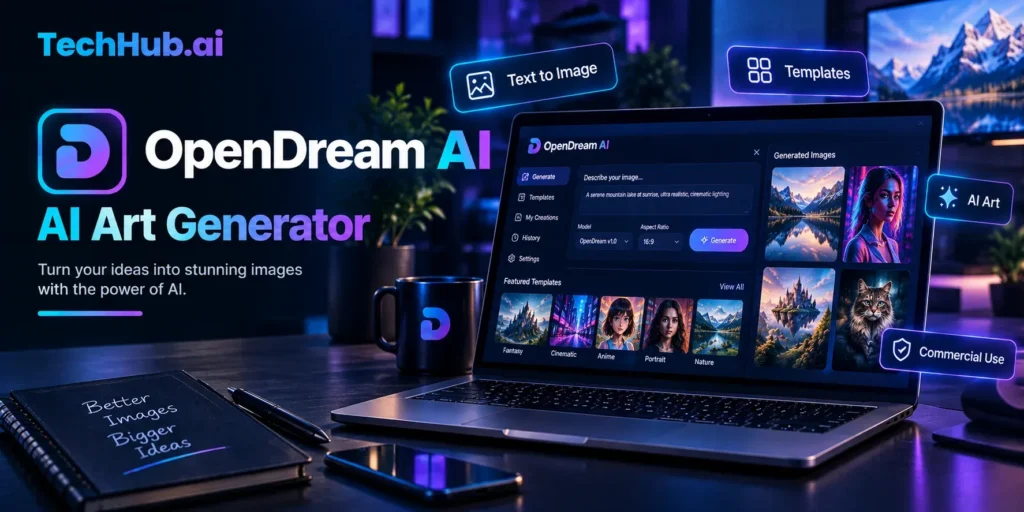
What Is OpenDream AI Art? How It Works, Features and Models Explained
OpenDream AI art is a browser-based platform that generates digital images from written text descriptions. A user types a prompt, selects a model, and the platform returns a generated image within seconds. No software installation, no GPU, and no design experience is required to get started.
This guide explains what OpenDream is, how its image generation process works, what features the platform includes, which AI models it uses, and how to create your first image from scratch.
What Is OpenDream AI Art?
OpenDream is an online AI art generator that converts text prompts into digital images. The platform is designed to make image creation accessible to users with no technical or artistic background. It runs entirely in a web browser and is available on desktop and mobile.
The platform was founded in 2023 with a focus on simplifying the process of AI image generation. Its stated goal is to democratize graphic design by giving anyone the ability to produce visual content by describing it in plain language.
At its core, OpenDream is built on open-source Stable Diffusion models. These are the same foundational AI models that power many other image generation tools. OpenDream packages them inside a clean interface that removes the need for command-line setup or local hardware.
The types of content OpenDream is designed to produce include:
- Digital illustrations and fantasy artwork
- Anime and manga-style character images
- Portraits and photorealistic-style images
- Logos and icon-style graphics
- Social media graphics and concept art
- Architectural visualization concepts
How Does OpenDream AI Art Work?
OpenDream uses a process called text-to-image generation. An AI model that has been trained on large datasets of images and their text descriptions learns to associate words and phrases with visual patterns. When a user writes a prompt, the model interprets that language and generates a new image that reflects the description.
The specific technique behind Stable Diffusion-based tools like OpenDream is called diffusion. The model starts with random visual noise and progressively refines it, guided by the text prompt, until a coherent image emerges. This happens in multiple processing steps, which is why generation takes a few seconds rather than being instantaneous.
Text-to-Image Generation
In text-to-image mode, the user provides a written description and the AI generates an original image from scratch. The quality and accuracy of the output depends heavily on how the prompt is written. More specific and descriptive prompts generally produce more focused results.
For example:
- Vague prompt: “a forest”
- More specific prompt: “an ancient forest at dusk, golden light filtering through tall oak trees, mist on the ground, oil painting style”
The second prompt gives the model clear direction on setting, lighting, mood, and style, resulting in a more purposeful output.
Image-to-Image Generation
OpenDream also supports image-to-image generation. In this mode, the user uploads an existing image alongside a text prompt. The AI uses the uploaded image as a visual reference and modifies or transforms it based on the prompt instructions.
Common uses for image-to-image generation include:
- Converting a rough sketch into a more finished illustration
- Applying a different art style to an existing photograph
- Changing the setting or mood of an existing image
- Iterating on a generated image to refine specific elements
What Is a Negative Prompt?
Most Stable Diffusion-based platforms, including OpenDream, include a negative prompt field alongside the main text prompt. A negative prompt is a list of things the user does not want to appear in the generated image.
For example, adding “blurry, low quality, watermark, extra fingers, bad anatomy” to the negative prompt instructs the model to avoid those characteristics during generation. Negative prompts are particularly useful for reducing common generation artifacts, such as distorted hands or unwanted background elements.
OpenDream AI Art Models
OpenDream offers four AI models. Each model has been trained to specialize in a different visual style. Free users have access to two models, and paid subscribers can use all four.
| Model | Style Focus | Available On |
| Dreamlike Photoreal 2.0 | Photorealistic portraits and landscapes | Free and paid |
| Dreamlike Anime 1.0 | Anime and manga-style character art | Free and paid |
| Stable Diffusion 2.1 | General-purpose image generation | Paid only |
| Deliberate | Artistic, experimental, and painterly outputs | Paid only |
Dreamlike Photoreal 2.0
Dreamlike Photoreal 2.0 is designed to produce images that resemble photographs. It is optimized for portraits, landscape scenes, and product-style visuals. The model tends to apply soft lighting and smooth textures, giving outputs a polished, finished appearance. It is available on the free plan.
Dreamlike Anime 1.0
Dreamlike Anime 1.0 specializes in the visual language of Japanese animation. It generates stylized character illustrations, expressive facial features, flat color regions, and the distinct line quality associated with anime and manga. This model is also available on the free plan and is the primary option for users creating character art or fan art.
Stable Diffusion 2.1
Stable Diffusion 2.1 is the open-source base model developed by Stability AI. On OpenDream, it is available to paid subscribers. It handles a wider range of visual styles than the Dreamlike models but typically requires more detailed prompting to produce focused results. It is a general-purpose model suited to users who want flexibility across different types of images.
Deliberate
Deliberate is a fine-tuned model oriented toward artistic and experimental outputs. It produces images with a painterly texture and tends to perform well for concept art, fantasy environments, and stylized character illustrations. It is available on paid plans.
OpenDream AI Art Features
Template Library
OpenDream includes a library of pre-written prompt templates organized by category. These templates cover common use cases such as portraits, anime characters, logos, social media graphics, architectural concepts, and fantasy scenes.
Templates serve two purposes. For beginners, they provide a starting point for generating images without needing to write a prompt from scratch. For more experienced users, they demonstrate effective prompt structures that can be adapted for different subjects or styles.
Community Gallery
The community gallery displays images generated by other OpenDream users. The gallery is organized by style and subject category, including anime, logos, animals, 3D renders, and buildings.
The gallery functions as a reference and inspiration source. Users can browse it to understand what different models and prompts produce before starting their own generation session.
Batch Generation
Batch generation allows users to generate multiple images from a single prompt submission. Rather than waiting for one image and then regenerating, the platform produces several variations simultaneously. This feature allows users to compare different outputs and select the best result.
On the free plan, batch generation is available in a limited form. Paid plans support larger batches and parallel processing, reducing wait time when generating multiple images.
Image Editing Tools
After generating an image, OpenDream provides several basic post-processing tools:
- Upscaling: Increases the resolution of a generated image for use in print or higher-resolution contexts.
- Inpainting: Allows the user to select a specific region of a generated image and regenerate that area while keeping the rest intact. This is useful for correcting specific elements without regenerating the entire image.
- Background removal: Isolates the subject of a generated image by removing its background, useful for compositing the result into other designs.
API Access
OpenDream provides API access for developers who want to integrate its image generation capabilities into their own applications or workflows. The API allows programmatic access to the platform’s text-to-image and image-to-image functions.
OpenDream Pricing and Plans
OpenDream offers a free plan and paid subscription tiers. The platform does not require a credit card to create a free account.
| Plan | Monthly Cost | Daily Credits | Models Available |
| Free | $0 | 24 credits | 2 (Dreamlike Photoreal 2.0, Dreamlike Anime 1.0) |
| Core | ~$12 | 3,000 credits/month | All 4 models |
| Pro | ~$24 | 12,000 credits/month | All 4 models, priority support |
Credits are consumed each time an image is generated. The number of credits used per generation depends on settings such as image resolution and the number of generation steps.
The free plan’s 24 daily credits refresh every 24 hours. This allows casual users to generate images regularly without a subscription.
Regarding ownership and commercial use, OpenDream’s terms state that users retain ownership of images they create on the platform and that commercial use of generated images is permitted. Users should verify the current terms at opendream.ai before deploying generated images commercially, as platform policies can change.
How to Create an Image on OpenDream AI Art
The following steps describe the standard image creation process on OpenDream:
- Create an account. Go to opendream.ai and sign up using an email address. No credit card is required for the free plan.
- Go to the Create section. From the dashboard, navigate to the image creation interface. You can choose to start from a blank canvas or select a template from the library.
- Write a text prompt. In the main prompt field, describe the image you want to generate. Be specific about subject, style, lighting, and mood to give the model clear direction.
- Add a negative prompt (optional but recommended). In the negative prompt field, list elements you want to avoid, such as “blurry, low quality, extra fingers, bad anatomy, watermark.”
- Select a model. Choose from the available models based on your desired output style. Free users can select Dreamlike Photoreal 2.0 or Dreamlike Anime 1.0.
- Click Generate. The platform processes the prompt and returns one or more generated images within a few seconds.
- Download or refine. Download the result directly, or adjust the prompt and regenerate to produce a different variation.
Who Uses OpenDream AI Art?
OpenDream is designed for a broad range of users, with particular emphasis on accessibility for non-technical audiences.
Students and hobbyists use the platform to experiment with AI image generation, create artwork for personal projects, or explore different visual styles without financial commitment.
Content creators and bloggers use it to generate custom images for articles, social media posts, and digital content where stock photography either does not fit the subject or requires licensing fees.
Freelancers and small business owners who need occasional AI-generated graphics for client projects or marketing materials use the free commercial rights as a practical advantage.
Anime and manga fans use Dreamlike Anime 1.0 to create character art, fan illustrations, and stylized images within the visual language of Japanese animation.
Developers and technical users use the API to integrate AI image generation into their own tools, apps, or creative pipelines without managing Stable Diffusion infrastructure themselves.
What Formats and Platforms Does OpenDream Support?
OpenDream is a web application. It does not require any software download and runs in modern web browsers including Google Chrome, Mozilla Firefox, Safari, and other standards-compliant browsers.
The platform is accessible on desktop computers and through mobile browsers on iOS and Android devices. As of the time of writing, OpenDream does not offer a dedicated native mobile application, though this may change as the platform develops.
Generated images are delivered in standard digital image formats suitable for web and design use.
Conclusion
OpenDream AI Art makes AI image generation accessible without requiring design skills, expensive hardware, or software installation. Its combination of text-to-image generation, image-to-image tools, negative prompts, multiple Stable Diffusion-based models, templates, batch generation, and basic editing features gives users plenty of ways to create and refine images.
The free plan also makes OpenDream useful for beginners, students, hobbyists, and content creators who want to experiment before paying. More advanced users can access additional models, higher credit limits, and API functionality through paid plans.
Overall, OpenDream is a practical option for users who want a simple browser-based AI art generator with both beginner-friendly features and more advanced generation options. Before using generated images commercially, it is still worth checking the platform’s latest terms because pricing and usage policies can change.
Frequently Asked Questions About OpenDream AI Art
What is OpenDream AI art used for?
OpenDream AI art is used to generate digital images from written text descriptions. Common uses include creating illustrations, anime character art, logo concepts, portrait-style images, social media graphics, and visual concept art.
Is OpenDream AI art free?
Yes. OpenDream offers a permanently free plan that provides 24 daily credits and access to two AI models, requiring no credit card to sign up. Paid plans offering more credits and additional models are also available.
Does OpenDream require a download or installation?
No. OpenDream runs entirely in a web browser. Users do not need to install any software or own a dedicated graphics card to use the platform.
What AI models does OpenDream use?
OpenDream uses four models: Dreamlike Photoreal 2.0 for photorealistic images, Dreamlike Anime 1.0 for anime-style art, Stable Diffusion 2.1 for general-purpose generation, and Deliberate for artistic and experimental outputs. Free users access the first two; paid subscribers access all four.
Can OpenDream generate anime-style images?
Yes. The Dreamlike Anime 1.0 model is specifically designed for anime and manga-style character art. It is available on the free plan.
What is a negative prompt in OpenDream?
A negative prompt is a secondary text field where users list elements they want to exclude from the generated image, such as unwanted objects, visual artifacts, or stylistic qualities. It helps the AI model avoid producing those elements in the output.
Can OpenDream images be used commercially?
OpenDream permits commercial use of images generated on the platform. Users should confirm the current terms of service at opendream.ai before commercial deployment.
Does OpenDream have an app?
OpenDream is accessible through mobile web browsers. A dedicated native mobile app is not currently listed on the platform.
How many images can I generate per day on the free plan?
The free plan provides 24 credits that refresh every 24 hours. Each standard image generation typically uses one credit, though this may vary depending on generation settings.
What is image-to-image generation on OpenDream?
Image-to-image generation is a mode where users upload an existing image and combine it with a text prompt. The AI uses the uploaded image as a visual reference and transforms or adapts it based on the prompt instructions.