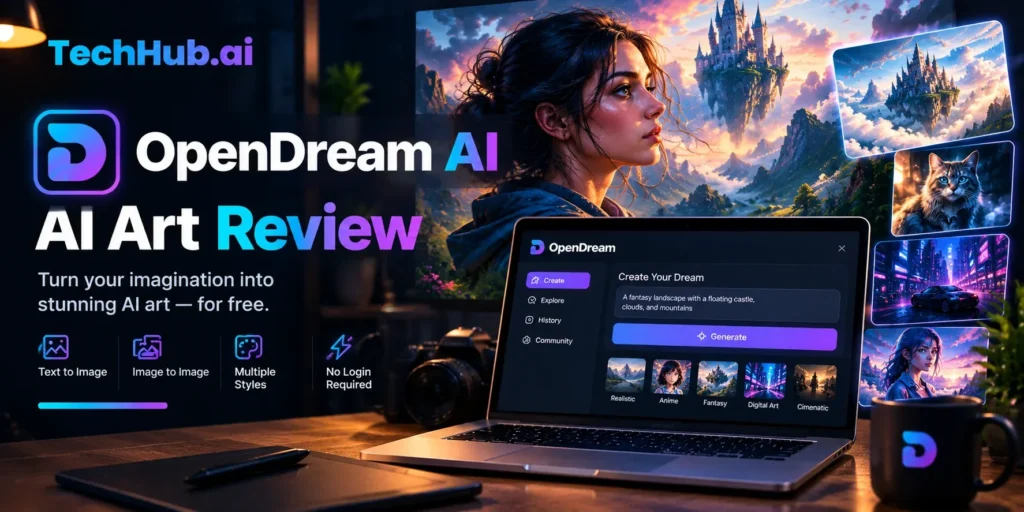
Introduction
If you want to turn a written description into an image within seconds, without installing software or owning a high-end GPU, OpenDream AI is one of the more accessible options available. But accessibility and quality are different things, and this review covers both.
Quick Answer: What Is OpenDream AI?
OpenDream AI is a browser-based text-to-image generator launched in 2023. It runs on open-source Stable Diffusion models and lets users create AI artwork by typing a description, selecting a model, and clicking generate. The free plan provides 24 daily credits with no credit card required. Paid plans start at $12 per month.
The platform suits beginners, hobbyists, anime enthusiasts, and small business owners who need basic AI-generated visuals at low or no cost. It is not the right choice for anyone who needs current-generation image quality or advanced creative control.
What OpenDream AI Actually Does
OpenDream AI converts text prompts into digital images using diffusion-based machine learning models. The process works in the same fundamental way as other tools in this category: you describe what you want to see, the AI interprets those words, and a new image is synthesized from that instruction.
What makes OpenDream’s positioning distinct is its deliberate focus on removing every technical barrier. There is no installation, no command line, no local GPU requirement. Everything runs in a browser on cloud infrastructure using NVIDIA A100 GPUs on the backend. You could generate your first image within two minutes of landing on the site.
The platform was founded by Vincent Valentine with a stated mission to democratize graphic design by making AI art creation accessible to people who have no formal art training and no interest in technical complexity.
The Four AI Models Available
OpenDream gives you access to four underlying AI models, each suited to a different visual goal:
| Model | Style | Available On |
| Dreamlike Photoreal 2.0 | Photorealistic imagery, portraits, landscapes | Free and paid |
| Dreamlike Anime 1.0 | Anime, manga, stylized character art | Free and paid |
| Stable Diffusion 2.1 | General-purpose creative images | Paid plans only |
| Deliberate | Experimental, painterly, abstract output | Paid plans only |
Free accounts access the first two models. Upgrading to a Core or Pro plan unlocks all four. The model you choose has a significant effect on the final result, so understanding which one fits your intended style before generating saves wasted credits.
Dreamlike Photoreal 2.0 is the most consistent choice for realistic portraits, product concepts, and landscape visuals. Dreamlike Anime 1.0 is well-suited to character creation in Japanese animation styles. Stable Diffusion 2.1 provides more creative flexibility for mixed or abstract work, while Deliberate is the most unpredictable of the four and better for experimental projects.
Core Features Explained
Text-to-Image Generation
This is the foundation of the platform. You type a prompt, and the AI generates one or more images based on that description. The quality and accuracy of the result depend on how specific your prompt is. A vague input like “a city at night” gives the AI too much latitude. A detailed prompt like “a rain-soaked Tokyo alley at night, neon signs reflected on wet pavement, cinematic wide angle, highly detailed” gives the AI clear creative direction and typically returns a much stronger result.
Image-to-Image Transformation
OpenDream allows you to upload an existing image alongside a text prompt to guide the AI toward a new version. This is useful when you have a rough visual reference, a sketch, or a photograph you want to transform. You could upload a product photograph and use a prompt to reimagine it in a different artistic style, or upload a hand-drawn character sketch and ask the AI to render it in a polished digital format.
Inpainting
Inpainting lets you select a specific region of an image using a mask and replace it with new AI-generated content. This is a practical editing tool for fixing unwanted elements in a generated image. If a portrait has an unusual background, you can mask only the background and regenerate it. If an object looks incorrect in a scene, you can mask and replace it without regenerating the entire image.
Image Upscaling
Generated images from diffusion models often start at modest resolutions to reduce processing time. OpenDream’s upscaling feature uses AI to increase the resolution intelligently, producing a larger version that retains detail and sharpness. This is important if you intend to use a generated image in print, on a large display, or anywhere that requires higher resolution than the original output.
Template Library
One of OpenDream’s stronger features for beginners is its template library. Templates are pre-written prompts organized by category, including logos, anime characters, 3D renders, landscape scenes, portraits, and more. Rather than starting from scratch, you can select a template, modify it to fit your specific idea, and generate. This removes a significant obstacle for people who are not familiar with prompt writing.
Community Gallery and API Access
The platform maintains a public gallery where users share their generated images along with the prompts used. This functions as both inspiration and a learning resource. Beginners can browse the gallery, find images that match the style they want, and study the prompts that produced them.
For developers, OpenDream exposes a documented REST API built with Python. This enables programmatic image generation and integration into third-party tools, applications, and automated workflows. The API also supports LoRA fine-tuning, which allows advanced users to train small specialized models on their own image sets to maintain style or character consistency across multiple generations.
Pricing: What Each Plan Actually Gives You
OpenDream operates on a freemium model. Pricing confirmed directly from the official pricing page at opendream.ai/plans:
| Plan | Monthly Cost | Credits | Generation Speed | Parallel Generation |
| Free | $0 | 24 daily credits | Low priority queue | 1 image at a time |
| Core | $12 per month | 3,000 credits per month | Faster | Multiple images simultaneously |
| Pro | $24 per month | 12,000 credits per month | Priority | Parallel batch generation |
A standard image generation costs 2 credits. Generating four images at once costs 8 credits. On the free plan, 24 daily credits allows approximately 12 standard image generations per day, which is comfortable for casual personal use.
Annual subscriptions carry a 20% discount. The free plan does not require a credit card to sign up. Once credits on a paid plan are exhausted, the account automatically reverts to the free plan rather than charging additional fees.
Refunds are available only if less than 2% of the purchased credits have been used. Commercial use rights apply across all plans, including the free tier.
Who OpenDream AI Is For
Beginners exploring AI art. The free tier, template library, and simple interface make OpenDream one of the most accessible starting points for someone who has never used an AI image generator. You can try the core workflow without committing any money.
Anime and character art enthusiasts. The Dreamlike Anime 1.0 model produces serviceable anime-style output and is available on the free plan. For creators focused specifically on this aesthetic, it is a practical free option.
Social media content creators. For blog headers, social media graphics, and basic promotional visuals, the free daily credits provide enough capacity for light ongoing use.
Small business owners on a budget. The commercial use rights on the free plan are genuinely uncommon. Many competing platforms restrict commercial rights to paid subscribers. OpenDream allows commercial use on all tiers, which makes it useful for creating placeholder imagery, concept mockups, or supporting visuals without a subscription.
Developers building low-stakes prototypes. The API access and affordable credit pricing make OpenDream a workable endpoint for applications where the visual output does not need to impress.
Where OpenDream Falls Short
Being honest about limitations matters more than any list of features.
The models are from a previous generation. OpenDream runs on Stable Diffusion 2.1 and the Dreamlike variants. These models were released in 2022 and 2023. The field has moved substantially since then. Current-generation tools use newer diffusion architectures that produce noticeably better prompt adherence, more accurate faces and hands, and significantly stronger compositional control. If you compare OpenDream’s output side by side with a current-generation tool, the difference is immediate and obvious.
The free plan queue can be slow. Free users are assigned low-priority generation. During busy periods, you may wait longer for images than on paid plans.
Four models with limited variety. The model selection is small compared to platforms that offer access to the full Stable Diffusion ecosystem. Power users looking for specific fine-tuned models for niche visual styles will find OpenDream limiting.
No advanced parameter control in the standard interface. OpenDream simplifies the interface deliberately. Users who want fine control over sampling methods, CLIP skip, or complex ControlNet workflows will need a different tool.
Copyright ownership remains legally uncertain. The platform grants commercial use rights under its own terms. However, the legal status of AI-generated images more broadly remains unsettled. The U.S. Copyright Office has determined that artwork created solely by an AI, without sufficient human authorship, is generally not eligible for copyright protection. This means you can use the images commercially under OpenDream’s license, but you may not be able to legally prevent others from using the same or similar outputs. If an image is central to your brand identity, such as a logo or trademarked mascot, consulting an intellectual property attorney before relying on AI-generated content is worth the time.
How OpenDream Compares to Alternatives
OpenDream vs. Midjourney
Midjourney produces significantly higher-quality, more aesthetically polished output. Its proprietary models are trained specifically for artistic impact and tend to generate images that look more deliberately designed. The trade-off is a steeper learning curve, a subscription-only access model (no free tier as of mid-2025), and historically a Discord-based interface that some users find inconvenient.
OpenDream is the better choice if you want a zero-cost starting point with a simple web interface. Midjourney is the better choice if artistic quality is your primary concern and you are willing to pay and learn a more nuanced system.
OpenDream vs. DALL-E 3 (via ChatGPT)
DALL-E 3, integrated into ChatGPT, handles natural language prompts with considerably more nuance. You can write conversational descriptions and iterate through back-and-forth dialogue with the chatbot. The trade-off is that DALL-E 3 applies stricter content filters and sits behind the ChatGPT Plus subscription.
OpenDream offers more model variety and a simpler credit-based pricing structure. DALL-E 3 gives you better prompt comprehension and higher output quality on realistic content.
OpenDream vs. Running Stable Diffusion Locally
Running Stable Diffusion through interfaces like Automatic1111 or ComfyUI on your own machine gives you total control: access to thousands of community models, unlimited generations, and no content restrictions. The significant cost is a high-end GPU (typically $1,000 or more), technical setup time, and ongoing maintenance.
OpenDream delivers a curated, simplified version of this power through a browser with no hardware investment. The trade-off is less control and older base models.
How to Get Better Results on OpenDream
The single most impactful improvement most beginners can make is adding specificity to prompts. A structured prompt that describes the subject, visual style, lighting, mood, and composition will consistently outperform a vague one-word or two-word input.
A weak prompt: “a woman in a forest”
A stronger prompt: “a woman in a sunlit pine forest, realistic photography, golden hour light filtering through trees, soft bokeh background, high detail”
Use negative prompts. OpenDream supports negative prompting, which tells the AI what to exclude from the image. Common entries for realistic photography include: “blurry, low quality, distorted hands, extra fingers, watermark, cartoon.” Negative prompts are particularly effective for reducing common failure modes like incorrect anatomy or unwanted stylistic bleed from other concepts.
Start with templates and modify them. Rather than writing a prompt from scratch, find a template in the category closest to your goal and edit it. Templates contain proven prompt structures that already work well with the available models.
Select the right model before generating. Generating a photorealistic portrait with the Dreamlike Anime model will produce inconsistent results. Match the model to the visual style you want before hitting generate.
Generate multiple variations, then refine. Use the variation feature on results you like to explore similar images with small differences. This is faster than rewriting prompts repeatedly from scratch.
Conclusion
OpenDream AI delivers on its core promise: a beginner-friendly, browser-based image generator with no installation, no credit card required, and commercial use rights on the free plan. For light personal use, quick social media images, anime-style character art, and creative experimentation without spending money, it is a practical tool.
The honest limitation is model age. The underlying Stable Diffusion and Dreamlike models were competitive in 2022 and 2023. By current standards, the output quality lags behind what newer tools produce. If image quality is critical to your project or your brand, a current-generation alternative will deliver meaningfully better results.
The free plan offers genuine value as a starting point. The paid plans are harder to recommend given what the same budget buys elsewhere in the market at the time of writing.
FAQ
Is OpenDream AI completely free?
OpenDream has a permanently free plan that gives users 24 credits per day with no credit card required. This is enough for approximately 12 standard image generations daily. Paid plans ($12 to $24 per month) increase credit volume, speed, and unlock additional AI models.
Can I use OpenDream images commercially?
Yes. OpenDream allows commercial use of generated images across all plans, including the free tier. However, users should understand that the legal copyright status of purely AI-generated images remains unsettled in many jurisdictions, particularly in the United States, where the Copyright Office has generally declined to register images without sufficient human authorship.
Does OpenDream add watermarks to generated images?
No. Images generated on OpenDream are delivered without watermarks on all plans.
What AI models does OpenDream use?
OpenDream currently runs four models: Dreamlike Photoreal 2.0, Dreamlike Anime 1.0, Stable Diffusion 2.1, and Deliberate. Free users access the first two. Paid subscribers unlock all four.
How fast does OpenDream generate images?
On paid plans, images typically generate within seconds. Free plan users are placed in a lower-priority queue, so generation times can be longer depending on platform traffic.
Do I need to install anything to use OpenDream?
No. OpenDream runs entirely in a web browser. There is no software to install and no GPU required on your end. All processing happens on OpenDream’s cloud servers.
What is the difference between the Core and Pro plans?
The Core plan (12permonth)provides3,000monthlycreditsandaccesstoallfourAImodelswithfastergeneration.TheProplan(24 per month) provides 12,000 monthly credits with priority generation speed and advanced batch features.
Does OpenDream offer an API?
Yes. OpenDream provides a REST API built with Python for developers who want to integrate AI image generation into their own applications or automated workflows. The API also supports LoRA fine-tuning for users who want to train specialized models on custom image sets.
Is OpenDream good for anime art?
The Dreamlike Anime 1.0 model is specifically optimized for anime and manga-style output and is available on the free plan. For basic anime character creation and stylized illustration, it produces serviceable results. For the highest-quality anime output in the AI image space, dedicated anime models with more recent architectures may produce stronger results.
What happens when I run out of credits on a paid plan?
When paid plan credits are exhausted, the account automatically reverts to the free plan with its daily credit allowance. You are not charged additional fees automatically.